Installation guide
Prerequisites
LinX Software Suite DevEnv v6 or newer (UX Designer VM) Download Link.
Qt 6.8.3
Qt Creator 17.0.1
LinX Manager Data Engine 2.1.2
Installing LinX Manager Fieldbus Access
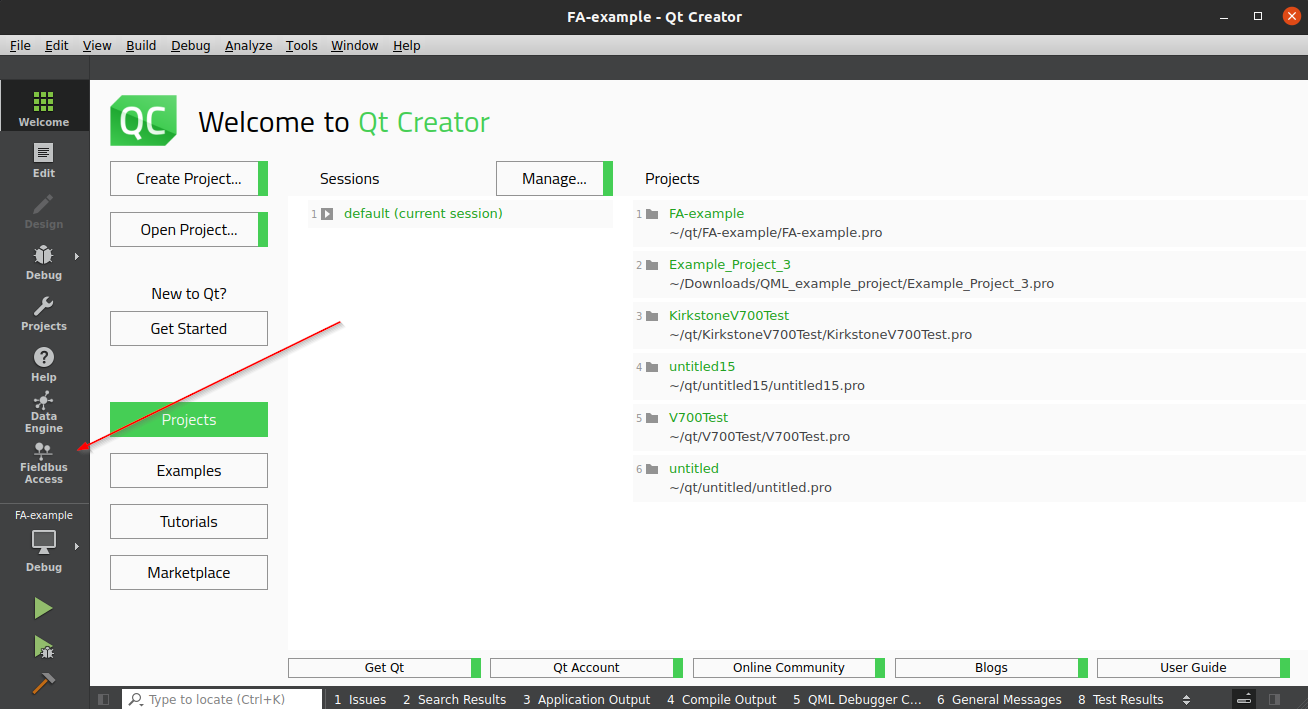
Observer that Linx Manager Fieldbus Access comes pre installed as a QtCreator plugin in the UX-Designer dev tool from CrossControl
These steps are intended to be performed in the UX Designer VM 6.0 or newer.
Contact customer support for
linx-manager-fieldbusaccess_<version>_amd64.debinstallation package.Move the packge to your VM
Double-click on the package to open it with GDebi.
Follow the instructions to install the package.
It’s also possible to install the package using the terminal:
sudo apt install ./linx-manager-fieldbusaccess_<version>_amd64.deb
LinX Manager Fieldbus Access is available from the mode selector in Qt Creator once installed.