Setup deploy application to target
Before deploying and running an application on a remote device, the LinX-Base package must be installed on the target device. The LinX-Base package contains the necessary runtime libraries and dependencies (Qt, DE, FA and SAPcore) required to run applications developed with UX Designer. See section Setup LinX-Base on target for installation instructions.
Add remote device by navigating to Qt Creator Devices and click Add…
Edit → Preferences... → Devices
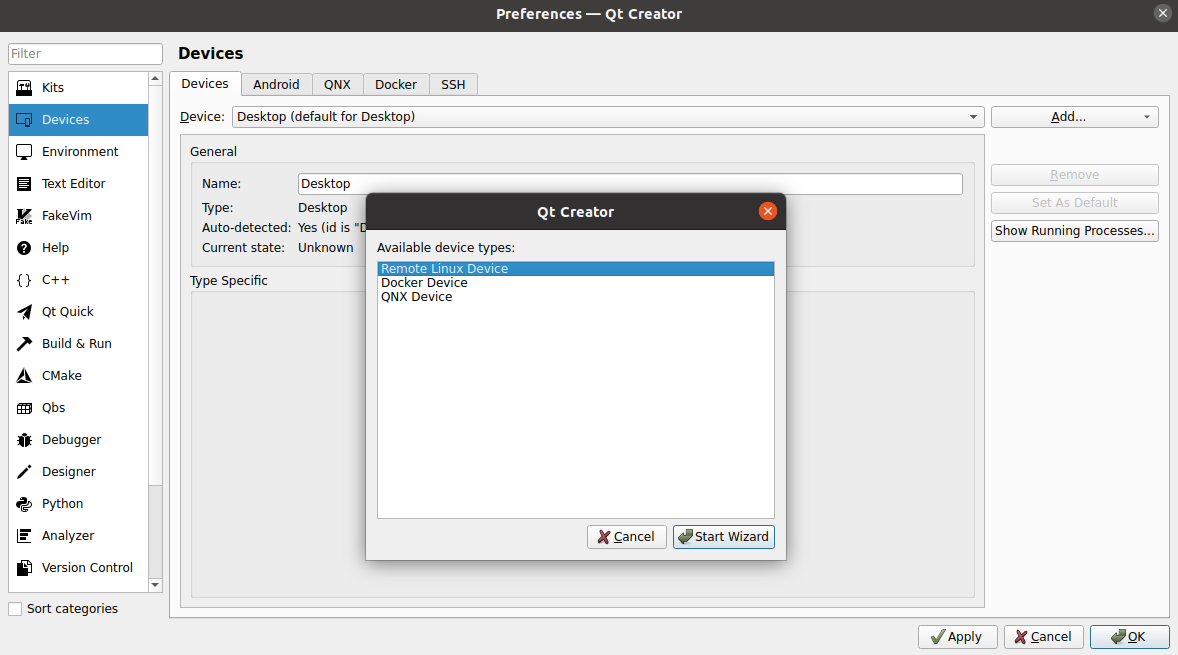
Choose Remote Linux Device and press Start Wizard
Set the IP-Address of the target in Host name:, port namber 22 in SSH port: and username ccs in Username. It’s suggested to add device type of your target to the device if you have several devices. Update IP to your target specific IP! Press Next.
Remote Linux Device (V1000)
192.168.1.2
22
ccs
You may skip the Private key setup by pressing Next button again… Press Finish to exit the wizard.
If you have skipped the private key setup the Device test will fail. No worries.
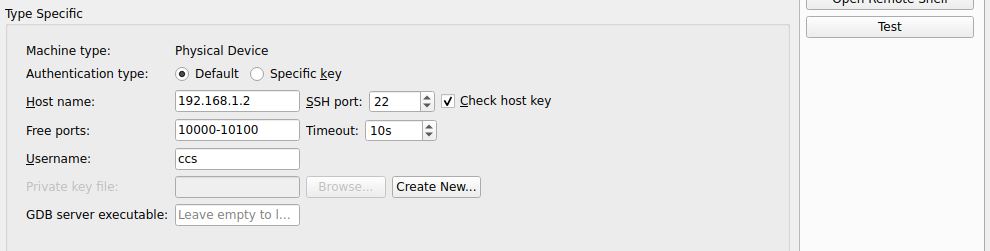
Change Authentication type: to Default and then validate by clicking on Apply and then the Test button. A password is required (ccs user pw is default)
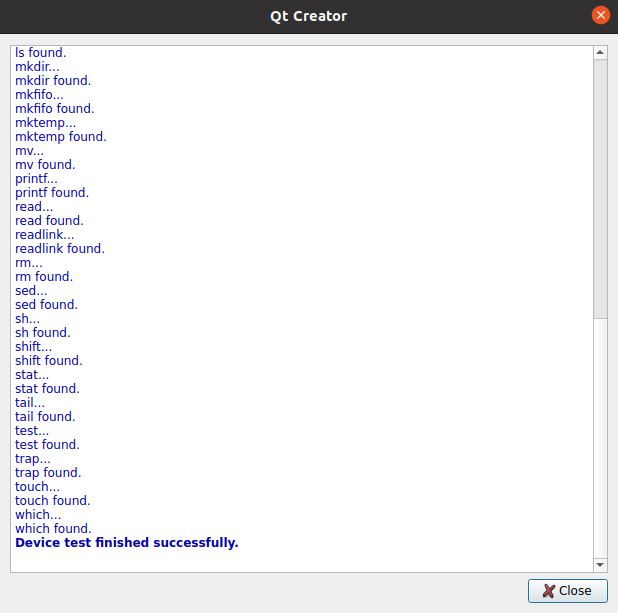
A Window is displayed with a text Device test finished succesfully if the test validation is succesfully.
Next we need to change our build-kit to point execution to our newly added target device.
Edit build-kit by navigating to Qt Creator Kits
Edit → Preferences... → Kits
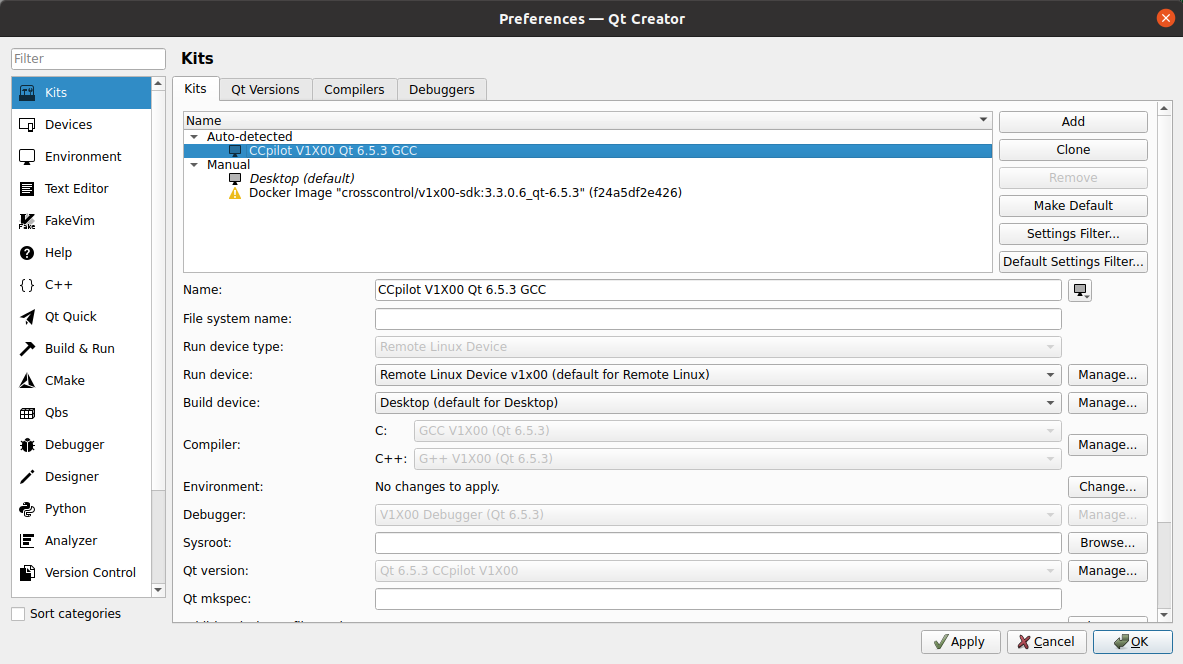
Choose the build-kit for your target device and change the Device type: and Device: to your created Remote Linux Device.
Setup and deploy application to target using docker build kit
To deploy on target using docker you first need set up a docker kit in Qt Creator, see here.
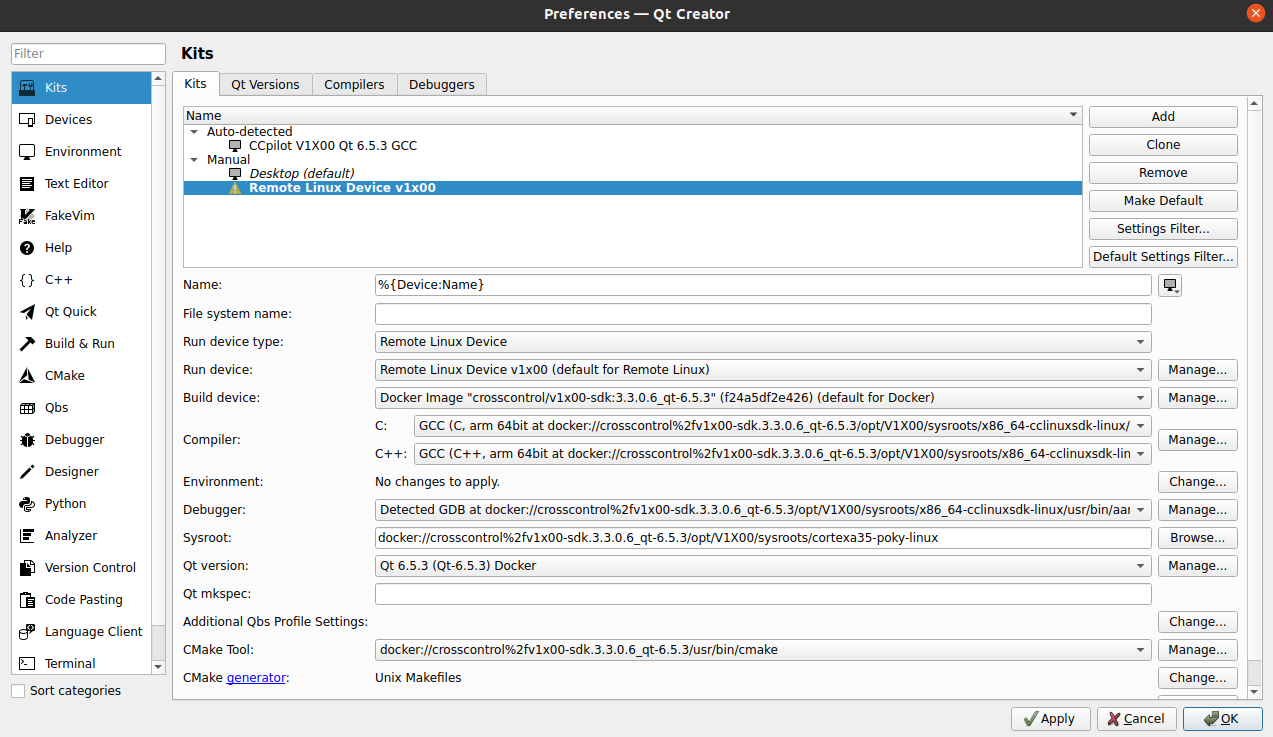
Configure Device type to Remote Linux Device.