Setup SDK and build-tools
To be able to develop and cross-compile applications for CrossControl CCpilot devices some additional packages needs to be installed in the UX Designer 6.0. Follow the instructions on this page for download and installation for respective device of the latest released versions.
Following packages needs to be installed/configured (for each device)
CCLinux SDK
Qt runtime SDK
Qt Creator build kit
CCLinux SDK
Download
To add the SDK for a specific target device please check our support website, under: CCLinux | CrossControl and navigate to:
DEVELOPMENT ENVIRONMENT DOWNLOADS → SDK → <TARGET DEVICE>
There are multiple SDK versions available, each tailored to specific CC Linux versions and CCpilot display computers. Please select the version that is compatible with both development VM and the CCpilot display computer.
For example you can download the SDK “CCLinux-SDK-toolchain-x86_64-CCpilot-V1x00-4.2.0.0.zip” for CCpilot V1000 display computer with CC Linux OS 4.2.0.0 version.
Download and unzip the file in your development VM.
Install
Run the following commands from a terminal window to automatically install SDK to the correct location. Make sure to replace X.Y.Z with the actual version number of the latest SDK.
Make sure to use the exact same path for SDK install (/opt/V1X00 – Capital V and X)
chmod +x CCLinux-SDK-toolchain-x86_64-CCpilot-V1x00-4.X.Y.Z.sh
./CCLinux-SDK-toolchain-x86_64-CCpilot-V1x00-4.X.Y.Z.sh -d /opt/V1X00 -y
Qt runtime SDK
Download
Qt runtime needs to be installed to be able to compile applications for a specific target device, please check our support website, under: UX Designer | CrossControl and navigate to:
DEVELOPMENT ENVIRONMENT DOWNLOADS → UX DESIGNER → V6.0 → SDK → Qt CREATOR
For example you can download the Qt SDK “linx-qt68-v1x00-ccl42-dev_6.8.3-1_all.deb” for CCpilot V1000 with CC Linux OS version 4.2.
Install
Run the following command from a terminal window to automatically install Qt SDK to the correct location. Make sure to replace version to match your downloaded .deb file.
sudo dpkg --install linx-qt68-v1x00-ccl42-dev_6.8.3-1_all.deb
The installation requires CCLinux to be installed first and will install in folder /opt/TARGET_DEVICE
Qt Creator build kit
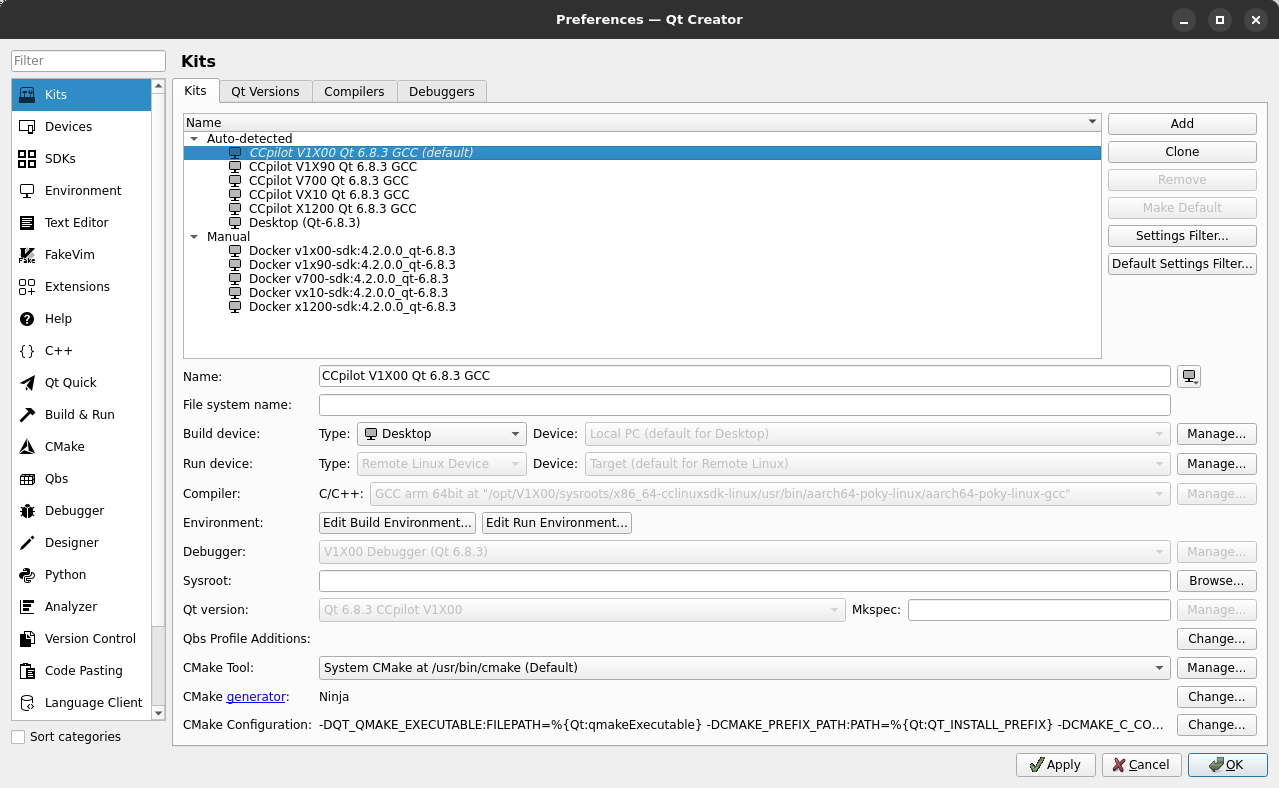
Start Qt Creator. The kit should be automatically detected and work for qmake and cmake projects out of the box. If you have a warning regarding missing Device/Device type, look at the Deploy to target section describing how to add a new device.
Validate the setup by navigating to Qt Creator Kits:
Edit → Preferences... → Kits